Meta Horizon
2 Hours Ago
80.02 M
v387.0.0.32.226
android 6.0+
1 million
Description
The way people use technology for entertainment and social activities has changed quickly in recent years. Virtual reality has become one of the more interesting areas because it allows people to experience digital spaces in a more interactive way. Instead of only watching content on a screen, users can enter virtual environments and interact with different experiences.
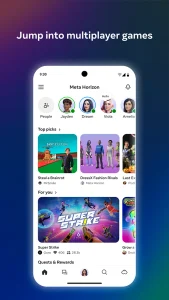
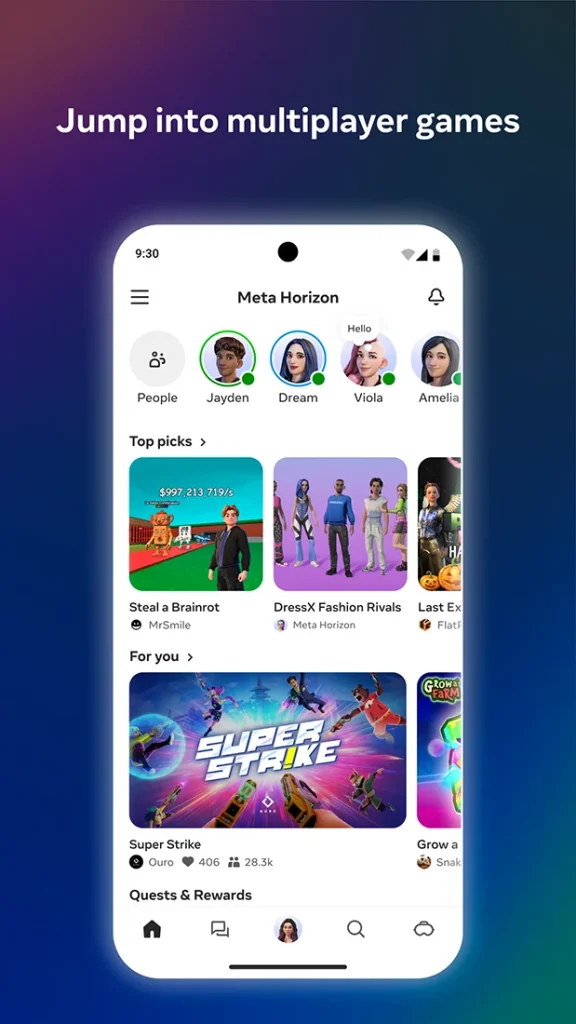
Meta Horizon is an app connected with Meta’s virtual and mixed reality ecosystem. It is designed to help users discover and interact with different experiences while using compatible Meta devices. The app can also help users manage parts of their virtual reality experience from a mobile device.
For people who are new to VR, having an app that connects different features in one place can make the overall experience easier to understand. From checking available content to connecting with friends and managing compatible devices, the platform is built around a connected approach to virtual reality.
What Is Meta Horizon?
Meta Horizon is a mobile-focused application from Meta that works with its broader virtual reality and mixed reality products. It is associated with the Meta Quest ecosystem and provides users with ways to explore social and immersive experiences.
The app is useful for people who already use a compatible Meta Quest headset, as well as those who are interested in learning more about the available VR ecosystem. Depending on the features available in a user’s region and device, the app may provide access to different content and account-related options.
One important part of the experience is its connection between mobile devices and VR hardware. Instead of handling everything directly through a headset, some settings and activities can be managed using a smartphone.
Main Features of the App
The application brings several useful functions together. Its features can vary depending on the device, software version, and region, but the overall idea is to make virtual reality easier to manage.
Device Connection
One of the useful aspects is the ability to connect a compatible mobile device with a Meta Quest headset. This creates a link between the phone and the VR hardware.
Having this connection can make it easier for users to check their device, manage certain settings, and move between mobile and headset experiences.
Discovering VR Content
Virtual reality includes much more than traditional games. There are educational experiences, creative spaces, social activities, fitness-related content, videos, and other forms of entertainment.
The app can help users discover different types of content available within the Meta ecosystem. This makes it easier for someone to find something that matches their interests.
Social Experiences
Social interaction is another important part of modern VR. People can meet friends, communicate, and spend time together in digital environments.
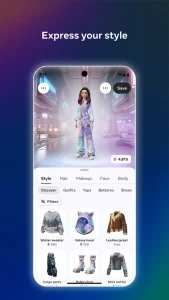
Rather than simply sending messages through a normal screen, social VR can provide a stronger sense of presence. Users can interact through virtual characters and explore shared spaces.
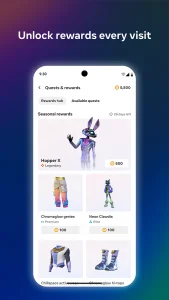
Account Management
The application can also be useful for managing account-related information connected to Meta’s VR services. Having these tools available on a smartphone can be convenient when users do not want to put on a headset just to check basic information.
How Meta Horizon Works With Meta Quest?
Meta Quest headsets are designed to provide standalone virtual reality experiences. They contain the hardware and software needed to access VR environments without requiring a traditional gaming computer for many activities.
The mobile application works as a companion to this ecosystem. Users can connect their compatible headset and use their phone for certain tasks.
For example, someone preparing to use a VR headset for the first time may find it easier to complete some setup steps through a phone. The companion connection can also make sharing or discovering experiences more convenient.
Meta Horizon is therefore not simply another entertainment application. It can act as a bridge between a user’s mobile device, account, and virtual reality hardware.
Exploring Virtual Worlds
One of the biggest attractions of virtual reality is the opportunity to explore digital environments. These spaces can be designed around games, social activities, creative projects, events, or simple exploration.
Virtual worlds can feel different from traditional mobile applications because users are placed inside the environment rather than viewing it through a flat screen.
For beginners, the experience may take some time to become familiar. Movement, menus, controllers, and virtual environments can feel different at first. After some practice, however, many basic actions become easier.
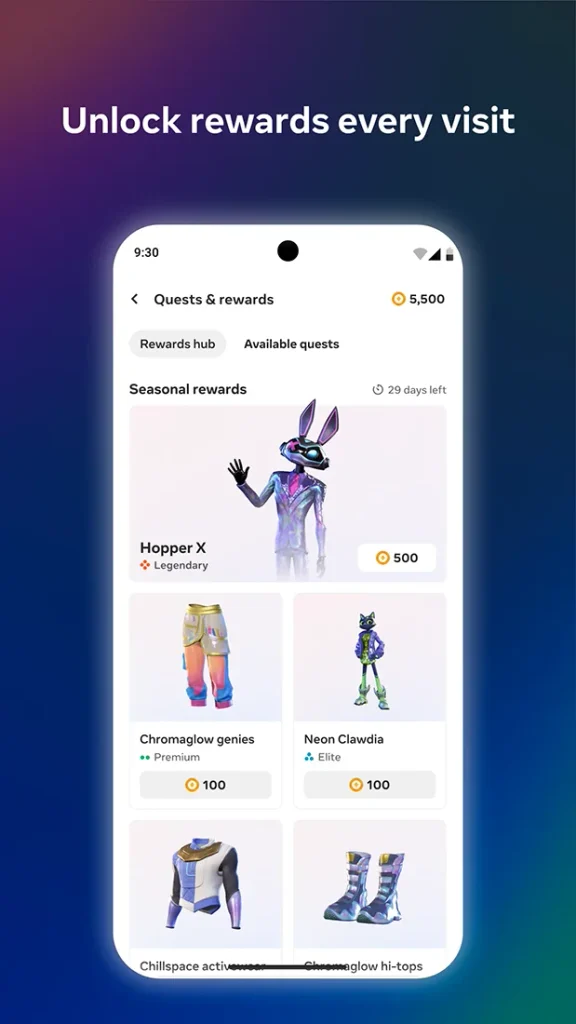
Users can explore different environments and choose activities based on their interests. Some people may prefer games, while others may enjoy social spaces or creative experiences.
Using the App With Friends
VR can become more enjoyable when shared with friends. Depending on the available features, users can communicate and participate in activities with other people.
This social element gives virtual reality a different character from traditional gaming. Instead of playing alone, people can sometimes meet in the same digital space and interact.
Friends can also share experiences and discover new activities together. This can be particularly useful for users who are interested in social VR rather than only playing individual games.
A Simple Experience for New Users
Getting started with a VR ecosystem can seem confusing when there are many different settings and features. A companion mobile application can reduce some of that confusion by placing useful controls and information on a familiar smartphone interface.
New users should first make sure their device is compatible and that the required applications and software are updated. Following the official setup instructions is also important because requirements can change with new software releases.
Once the basic connection is complete, users can explore available features at their own pace. There is no need to understand every option immediately.
Entertainment Beyond Traditional Games
When people hear about virtual reality, they often think only about games. However, VR has expanded into many other areas.
Users can find experiences involving music, videos, creativity, learning, fitness, social interaction, and exploration. This variety means that VR can appeal to people with different interests.
The same headset can therefore serve different purposes depending on the content a person chooses. One day it might be used for a game, while another day it could be used for a social activity or an immersive video.
This broader selection is one reason virtual reality continues to attract attention.
Why People Are Interested in Meta Horizon?
There are several reasons people may be interested in Meta Horizon. First, it connects with a well-known VR hardware ecosystem. Second, it gives users another way to interact with their virtual reality setup.
The mobile approach can also be convenient. Smartphones are already part of everyday life, so using one to manage certain VR functions can feel natural.
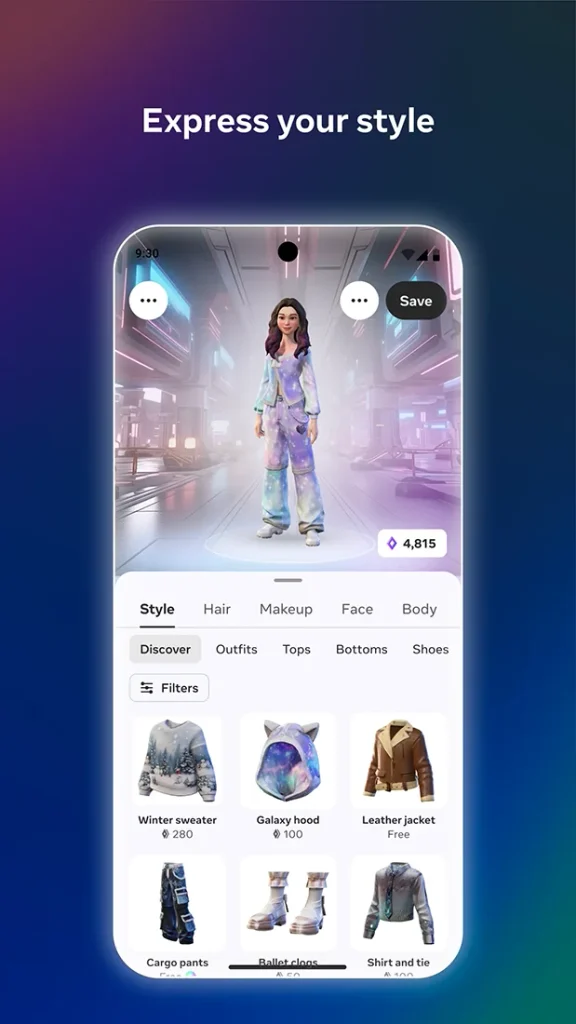
Another reason is the growing interest in social and immersive technology. People are becoming more comfortable with digital spaces, and VR offers a more interactive way to experience them.
Things to Consider Before Using It
Before using any VR-related application, users should check device compatibility and software requirements. Some features may require specific hardware or may not be available in every country.
A stable internet connection can also be important for online experiences. Users should keep their applications and headset software updated to receive available improvements and security fixes.
Privacy settings are another area worth reviewing. Users should understand what information is shared and adjust available settings according to their preferences.
It is also sensible to take regular breaks when using a VR headset. Spending long periods in an immersive environment can be tiring, especially for new users.
Mobile and Virtual Reality Together
Smartphones and VR headsets serve different purposes, but combining them can make the overall experience more convenient. The phone provides a familiar touchscreen interface, while the headset provides an immersive environment.
This combination allows users to handle certain tasks without constantly switching between menus inside the headset.
As virtual reality continues to develop, companion applications may become even more important. They can help connect hardware, accounts, content, and social features into a single ecosystem.
Final Thoughts
Meta Horizon provides a connection between mobile devices and the wider Meta virtual reality ecosystem. Its focus on compatible Meta Quest devices, VR content, social experiences, and account-related functions makes it useful for people exploring modern virtual reality.
The platform is especially interesting for users who want more than traditional mobile entertainment. Virtual worlds can provide interactive activities, social spaces, games, and creative experiences in ways that a normal screen cannot fully reproduce.
For beginners, the best approach is to start with the basic features and gradually explore the available options. Checking compatibility, keeping software updated, and reviewing privacy settings can also help create a smoother experience.
FAQs
Meta Horizon is an application connected with Meta’s virtual and mixed reality ecosystem and compatible Meta Quest experiences.
Some mobile features may be available without actively using a headset, but certain functions and experiences require compatible Meta hardware.
It is designed to work with supported mobile devices, although availability and features can vary by platform and region.
Depending on your setup, you can use it for device-related functions, discovering VR content, social features, and other activities connected to the Meta ecosystem.
Yes. Beginners can start with basic setup and gradually explore different VR experiences as they become familiar with the platform.
Images