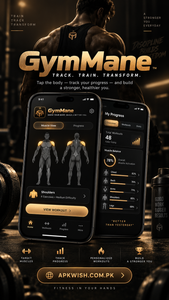
GymMane
2 Hours Ago
13 Mb
v1.0.0
android 6.0+
1 million
Description
Keeping track of workouts can make gym training much easier to manage. Instead of trying to remember the weight, repetitions, exercises, and routines used during previous sessions, a workout tracker can keep everything organized in one place. Gymmane is an Android fitness app designed for this purpose.
The app focuses mainly on strength training and workout logging. Users can choose muscles, find exercises, record sets, follow routines, check previous workouts, and review their progress. One of its main differences from many fitness applications is that it is designed to work offline.
Gymmane is also an open-source project. It does not require a normal online account for basic workout tracking and keeps workout information on the user’s device. This makes it useful for people who want a straightforward fitness log without unnecessary online features.
What is Gymmane?
Gymmane is a workout and strength-training tracker developed for Android devices. It works like a digital gym notebook where users can record exercises, repetitions, weights, routines, and training history.
Instead of carrying a notebook or trying to remember previous workout numbers, users can enter their training information directly into the app.
The application also provides an interactive body map. Users can select the muscle group they want to train and explore exercises connected with that area. This can make workout planning easier, especially for users who are building their own training routines.
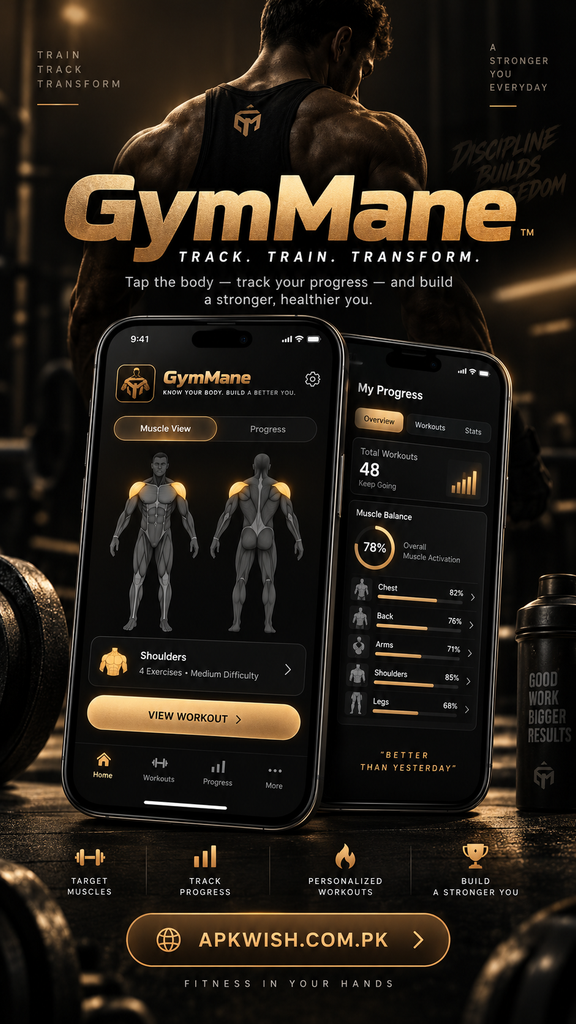
The app is designed around simple workout management rather than social networking or complicated online services.
Main Features of Gymmane
Gymmane includes several useful tools for people who regularly train at home or in a gym.
Interactive Muscle Map
One of the most interesting features is its body map.
Users can view different muscle areas and select the part of the body they want to train. The app can then help them find suitable exercises for that muscle group.
For example, someone planning an upper-body session can explore exercises for areas such as the chest, shoulders, arms, or back.
This visual approach may be easier than searching through a long list of exercise names.
Workout Logging
Recording workouts is one of the main functions of the Gymmane app.
During a training session, users can record information such as:
- Exercise name
- Number of repetitions
- Weight used
- Sets completed
- Set type
- Workout progress
Having these details saved makes it easier to compare one training session with another.
If a user performed an exercise with a particular weight last week, they can check the previous record before starting their next session.
Exercise Library of Gymmane
The application contains a large exercise library covering different muscle groups and types of training.
The project’s official information says the current version contains hundreds of exercises, along with exercise illustrations or animations and instructions. Users can search the library and filter exercises based on factors such as muscles and available equipment.
This makes the app useful for both planned routines and individual workouts.
Users may also create their own exercises when something they regularly perform is not already available in the library.
Create Workout Routines
Following the same training schedule every week becomes easier when routines are saved.
Gymmane allows users to organize exercises into workout routines. A routine can contain several movements that are normally performed together during a session.
For example, someone following a weekly program might create separate routines for:
- Chest and triceps
- Back and biceps
- Legs
- Shoulders
- Full-body training
Saved routines reduce the need to rebuild the same workout every time the app is opened.
Users can also organize routines according to different training days.
Rest Timer of Gymmane
Rest periods are an important part of many strength-training sessions.
Gymmane includes a built-in rest timer that can help users keep track of the time between sets.
Instead of constantly checking the phone clock, the timer can run while the user prepares for the next set. An alarm lets the user know when the selected rest period has finished.
The rest duration can also be adjusted depending on the exercise.

Shorter rest periods may work for some movements, while heavier exercises may require longer breaks.
Track Workout Progress
Recording workouts becomes more useful when users can review the information later.
- The Gymmane workout tracker provides progress information based on logged training sessions.
- Users can review areas such as workout volume, training streaks, personal records, activity history, and strength changes.
- This can help answer questions such as:
- How often did I train this month?
- Am I lifting more than I did several weeks ago?
- Which muscle groups have I trained recently?
- Have I reached a new personal record?
- Seeing this information in one place can make long-term training easier to understand.
Personal Records
Progressive improvement is often an important part of strength training.
The app can help users keep track of personal records based on their workout history.
Suppose someone performs the same exercise regularly. By recording the weight and repetitions after every workout, it becomes easier to see whether performance is improving.
This removes the need to remember previous numbers manually.
Fitness Calculators
Gymmane includes several useful calculation tools alongside its workout tracking features.
Available tools include calculations related to areas such as estimated one-repetition maximum, weight plates, BMI, calories, body fat, and warm-up planning.
Having these tools inside the same application means users do not always need separate calculator apps during training.
Calculations should still be treated as estimates rather than exact measurements, especially for areas involving body composition or nutritional needs.
Bodyweight and Measurement Tracking
Training progress is not limited to the amount of weight lifted.
Some users also like to keep track of changes in bodyweight and measurements.
Gymmane provides options for recording this information and viewing changes over time.
Combining workout history with measurements can provide a broader picture of fitness progress.
Users can focus on the information that matters to their own training goals instead of recording every available measurement.
Works Offline
A major feature of Gymmane is offline operation.
According to its official project information, the Android application does not request internet permission for normal operation. Workout data, measurements, notes, and other saved information remain stored locally on the phone.
This can be useful inside gyms where internet connections are weak or unavailable.

It also means users can open their routines and record workouts without relying on mobile data or Wi-Fi.
Privacy and Local Storage
Fitness logs can contain personal information, so privacy is worth considering when choosing a workout application.
Gymmane is designed around local storage. The project states that the app does not include advertising analytics and does not require an account.
Because information stays on the device, users also need to take responsibility for keeping backups when necessary.
The app provides options for exporting data, which can be helpful when changing phones or keeping a separate copy of workout history.
Import Existing Workout History
People switching from another fitness tracker may already have months or years of workout records.
Gymmane provides import support for certain workout tracking applications, including Hevy, Strong, and FitNotes.
This can reduce the need to start completely from zero.
Import compatibility can depend on the format of the exported file, so users should check the current instructions before moving their workout history.
Simple User Experience
A fitness tracker should be quick to use because nobody wants to spend half of a training session entering information into a phone.
The interface of Gymmane focuses on commonly used workout tools such as exercises, routines, training sessions, history, and progress.
Light and dark appearance options are available, while weight can be recorded using kilograms or pounds.
The straightforward layout makes the application suitable for people who want workout tracking without too many unrelated sections.
Advantages of Gymmane
There are several reasons someone might consider this fitness tracker.
It can work without an internet connection, provides detailed workout logging, includes hundreds of exercises, offers progress statistics, and allows users to organize their own routines.
Another advantage is that users do not need to create an account just to record a workout.
People who value local storage may also appreciate that training information can remain on their own device.
Things to Consider
No fitness application will be perfect for every user.
Gymmane currently focuses on Android, so people using other platforms should check whether a compatible version has become available before trying to install it.
Users should also remember to create backups of important workout information because locally stored data may be lost if a phone is damaged, reset, or replaced without transferring the information.
New versions can also change available exercises and features, so checking current release information before downloading is useful.
Final Words 0f Gymmane
Gymmane offers a practical way to organize strength-training sessions from an Android phone. Users can record sets and repetitions, create routines, explore exercises through a muscle map, use fitness calculators, follow personal records, and review workout history.
Its offline approach is especially useful for people who prefer keeping their training information on their device rather than depending on an online account.
Whether someone is starting a new training routine or already keeps detailed workout records, the app provides useful tools for keeping gym sessions organized. Consistent logging can also make it much easier to understand how training performance changes over time.
FAQs About Gymmane
Yes. Gymmane is mainly designed for recording strength-training workouts, including exercises, sets, repetitions, weights, routines, and progress.
Yes. The Android version is designed to work offline, and its official project information states that it does not require internet permission for normal workout tracking.
Yes. Android is currently the supported mobile platform according to the project’s official information.
Yes. Users can create and organize routines containing exercises they regularly perform.
Yes. The app provides a rest timer that can be used between workout sets.
Images