Ares Dark Icon Pack
2 Hours Ago
60.2 MB
v2.3.2
android 6.0+
1 million
Description
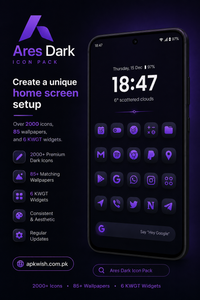
Ares Dark Icon Pack is an Android personalization app designed for people who want a darker and more consistent icon style. It uses colorful glyph symbols placed on dark squircle-shaped backgrounds. The result is a simple look that can work well with dark wallpapers and modern Android home screen layouts.
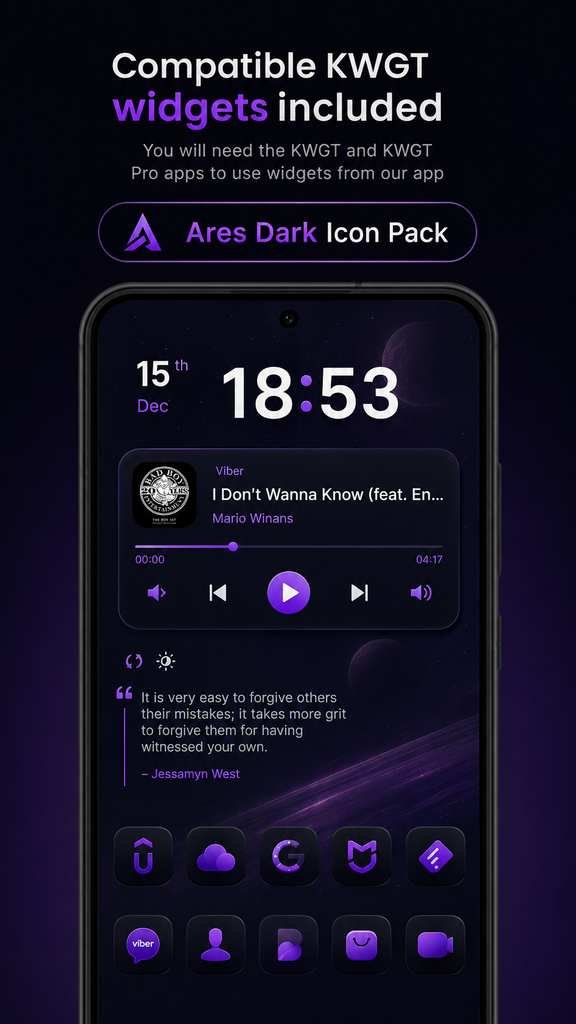
According to its Google Play listing, the pack currently includes more than 6,166 icons, 90 wallpapers, and seven KWGT widgets. It also offers alternate icons, dynamic calendar icons, icon masking, folders, and other customization options.
What Is Ares Dark Icon Pack?
Ares Dark Icon Pack is a customization app from One4Studio. Unlike a normal application that provides a particular function, this app focuses on changing the visual appearance of supported applications.
The main design uses a dark squircle background with a colorful glyph in the center. This gives different apps a similar visual shape, which can make the home screen feel more balanced.
The pack is especially suitable for users who like dark themes, simple layouts, and colorful details without wanting extremely bright or complicated icons.
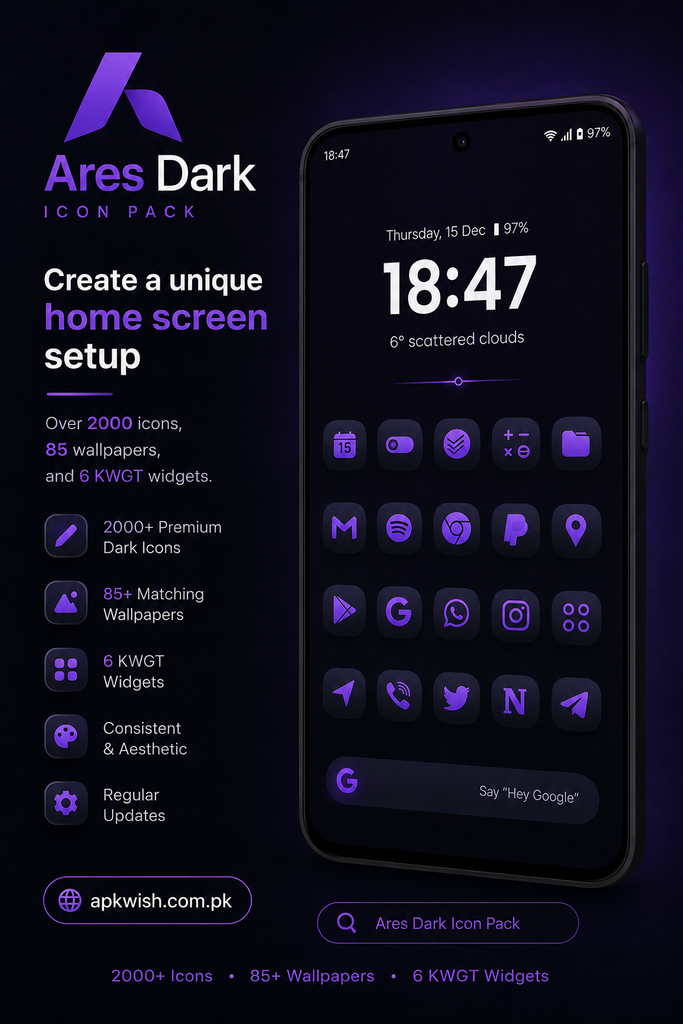
It is also part of the wider Ares icon pack family, which includes several different styles such as the regular Ares version, Ares Light, Ares Arctic, Ares Dark, and Ares Black.
Main Features of Ares Dark Icon Pack
Large Icon Collection
One of the biggest advantages is the number of available icons. The current Google Play listing says that the pack contains more than 6,166 icons. This gives users a broad selection for popular apps and games.
A large icon collection is useful because you do not have to replace only a few icons. You can create a more complete setup where most of the apps on your home screen follow the same design.
The collection can also grow through regular updates, which is helpful when new applications need support.
Dark Squircle Design
The most noticeable part of the design is the squircle shape. It sits somewhere between a square and a circle and gives the icons a consistent appearance.
The dark background allows the colorful glyphs to stand out without making the home screen look too busy. This can be a good match for black, gray, blue, or other darker wallpapers.
If you enjoy minimalist Android themes, this style can provide a clean starting point for your setup.
Wallpapers
An icon pack looks better when the wallpaper matches its design. Ares Dark includes 90 wallpapers according to its current Google Play listing.
Having matching wallpapers means users can create a complete visual theme without searching for a separate background immediately.
You can choose a darker wallpaper to keep the icons looking clear and let the glyph colors provide small highlights across the screen.
KWGT Widgets
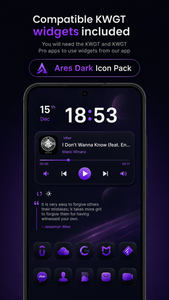
The app also includes seven KWGT widgets.
Widgets can add useful information to a home screen while also helping the overall design feel connected. When the widget style matches the icons and wallpaper, the result can look more organized.
KWGT is commonly used for creating customized Android widgets, so users who already work with custom home screen layouts may find this feature useful.
Launcher Support
An important point to understand before installing an icon pack is launcher compatibility.
Ares Dark can be used with several popular custom launchers, including Nova Launcher, Lawnchair, and Niagara. The developer also lists support for some default or manufacturer launchers, including Samsung One UI, OnePlus Launcher, Oppo ColorOS, and Nothing Launcher.
However, launcher support can vary depending on the Android phone and launcher version. If the icons do not appear automatically, checking the launcher’s theme or icon settings is a good first step.
How to Apply Ares Dark Icons?
Applying a custom icon pack is generally straightforward when your launcher supports it.
First, install Ares Dark Icon Pack from an official source. Open the application and look through the available options. If your launcher supports direct application, you can usually select the launcher from the icon pack settings.
Another method is to open your launcher’s settings and look for options such as Icons, Icon Pack, Theme, or Appearance. Select Ares Dark from the available packs and apply the changes.
The exact steps can differ between launchers, so the menu names on your phone may not be identical.
Icon Masking for Unsupported Apps
No icon pack can guarantee that every application will have a specially designed icon. This is where icon masking can be useful.
Ares Dark includes masking for apps that do not have a dedicated themed icon.
Instead of leaving one completely different icon among a group of matching icons, masking can help make unsupported icons fit the overall shape and appearance more closely.
This feature is particularly useful for people who have many less-common apps installed.
Alternate Icons and Calendar Support
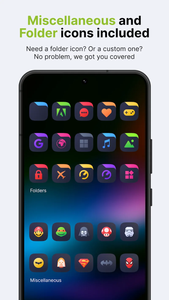
Another useful feature is the availability of alternate icons for many popular applications. This gives users more flexibility when creating a particular home screen style.
The pack also supports dynamic calendar icons. This can help calendar icons reflect the current date while still fitting the selected icon style.
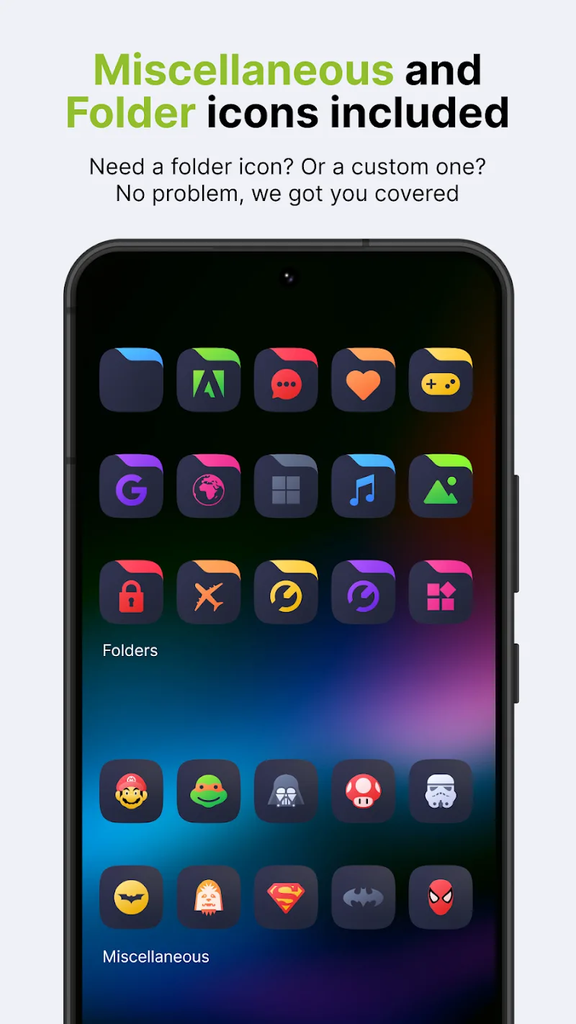
These small options may not matter to everyone, but they can be helpful for people who enjoy adjusting their home screen details.
Regular Updates
A good icon pack needs continued updates because new apps are released all the time. The developer has been releasing updates that add new icons and update existing ones.
The Google Play listing shows several updates during 2026, including releases adding new icons and fixing missing icon issues.
This ongoing support can make the pack more useful over time. If an app is not currently supported, users can also send icon requests to the developer.
Who Should Use Ares Dark Icon Pack?
Ares Dark can be a good option for Android users who enjoy changing the appearance of their phones.
It may suit you if you:
- Like dark Android themes
- Prefer consistent icon shapes
- Want colorful details without bright backgrounds
- Enjoy customizing your home screen
- Use a supported Android launcher
- Want matching wallpapers
- Like using custom widgets
- Have many apps and want a more organized look
On the other hand, if you prefer the original Android icons or do not like dark themes, a custom icon pack may not provide much benefit.
Is Ares Dark Icon Pack Worth Trying?
For users who enjoy Android personalization, Ares Dark offers a fairly complete package. Instead of providing only icons, it combines icons, wallpapers, and KWGT widgets in one customization-focused app.
Its dark squircle design is also easy to recognize. The consistent shapes can make a mixed collection of applications look more uniform.
Another positive point is the continued development shown through recent updates.
The main thing to check before purchasing is whether your preferred launcher supports the pack properly. Since launcher behavior differs between devices, the experience can vary.
Final Thoughts of Ares Dark Icon Pack
Ares Dark Icon Pack is designed for Android users who want a clean, dark, and colorful home screen. Its squircle icons provide a consistent appearance, while wallpapers and KWGT widgets allow users to build a more complete setup.
With thousands of icons, alternate designs, masking for unsupported apps, dynamic calendar support, and compatibility with several popular launchers, it offers plenty of options for people who enjoy customizing their phones.
If your current home screen feels plain or the default icons look inconsistent, changing the icon style can be an easy way to give your Android device a fresh appearance without changing the way your apps work.
FAQs
The Android version is listed as a paid app on Google Play, with in-app purchases also available. Check the current store listing for the latest price in your region.
The current Google Play listing states that the pack contains more than 6,166 icons.
Yes. Nova Launcher is among the launchers listed by the developer as supported.
Yes. The current listing includes 90 wallpapers along with the icon collection.
Yes. The pack includes seven KWGT widgets designed to complement the overall home screen style.
Images