BDNice App Download and Login Guide for Android in Bangladesh
2 Hours Ago
18 MB
2.32.1
Android 6.0+
35K+

Description
BDNice is a mobile gaming platform that users may explore through a website or Android app, depending on current availability. It brings gaming options and account features into a smartphone-friendly service. Before joining, check which features your account can use and what rules apply.
For users in Bangladesh, language, phone compatibility, and payment instructions can affect the experience. Clear Bengali menus may make browsing easier, but you should also check whether the platform explains its account and transaction terms clearly.
This guide takes you through the main decisions: how to check the download, set up an account, review games, and understand payment conditions.
BDNice ব্যবহারের আগে অ্যাপের উৎস, অ্যাকাউন্টের নিয়ম এবং পেমেন্টের তথ্য যাচাই করুন। কোনো বিষয় বুঝতে সমস্যা হলে টাকা জমা দেওয়ার আগে প্রশ্ন করুন।
Start With the BDNice Website
Before looking for an APK, review the information you can access without registering. Check the website address, operator details, contact information, and account terms.
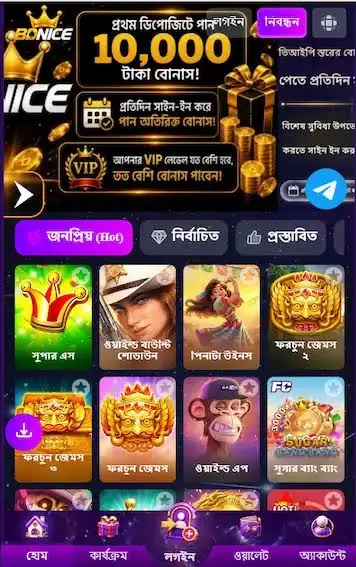
Next, explore the available menus. Look for game information, privacy details, payment instructions, and help options. A clear service should explain these areas rather than asking you to deposit first.
Also, check which languages the current interface supports. A Bengali banner does not necessarily mean that every rule, payment page, or support option uses Bengali. Make sure you can understand the important conditions.
Finally, review the age and legal requirements that apply to your location. Website access alone does not confirm that every feature is legally available to you.
Decide Whether You Need the App
If BDNice offers a mobile website, you can review its public pages through your phone’s browser. This lets you explore the service before installing software.
An Android app may offer direct access from your home screen. However, it also needs storage, installation, and permission checks.
| Your preference | What to consider |
|---|---|
| You want to read about the service first | Explore the mobile website, if available |
| Your phone has limited storage | Check the app’s full storage requirement |
| You prefer an app icon for access | Confirm that a legitimate Android version exists |
| You use more than one device | Review account and login rules |
| You cannot verify the APK | Pause before installing it |
Choose the option you can verify and understand. Neither an app nor a browser guarantees that a platform handles accounts or money reliably.
Check the APK Details Before Downloading
A download page should provide more than a button. Before downloading BDNice APK, look for clear file and publisher information.
Version and Publisher
Check the exact version number and who provides the app. Do not rely only on labels such as “new,” “official,” or “latest.”
Also, find out how the service distributes updates. You need a way to confirm future files rather than following unfamiliar links each time.
Android and Storage Requirements
Compare the minimum Android requirement with your phone. Then, check the file size and leave room for installation, app data, and future updates.
Avoid assuming that every Android phone will support the app. Compatibility can differ between versions.
Permissions
Review the permissions the app requests. If you cannot understand why it needs a particular type of access, ask before allowing it.
অ্যাপের নাম ও লোগো মিললেই ফাইলটি আসল ধরে নেবেন না। প্রকাশক, ভার্সন এবং ডাউনলোডের ঠিকানা মিলিয়ে দেখুন।
Install BDNice on a Compatible Android Phone
If you verify the source and decide to continue, follow the instructions your phone shows. Android settings can differ between manufacturers and versions.
- Open the download page you have checked.
- Review the app and device requirements.
- Download the APK.
- Wait for the download to finish.
- Open the file from your Downloads folder.
- Read any Android warning.
- Follow the installation prompts if you choose to proceed.
- Open the app and review its permissions.
Your phone may ask you to allow installation through a browser or file manager. Check that request carefully. After installation, remove the permission if you no longer need it.
Keep your device’s security features active. Avoid modified files that promise extra balances, automatic wins, or special account access.
Create an Account Without Rushing
Open the registration form and review what information it requests. Read the terms and privacy policy before submitting your details.
The form may ask for contact information, a username, a password, or verification. Follow the current instructions rather than an old screenshot.
Use accurate information and a password you do not use elsewhere. Also, check whether the platform requires identity verification before withdrawals.
Before sending documents, find out:
- Why the platform needs them
- Which documents it accepts
- Where you should submit them
- How it uses your information
- Whether you can request account or data removal
Only submit sensitive information through a channel you have verified.
Sign In and Fix Access Problems
For future visits, open the login page through the website or app you have checked. Be cautious of sign-in links from private messages or unfamiliar advertisements.
If login fails, test your connection first. Then, check your username, phone number, and password for typing errors or extra spaces.
Use the account recovery option if you forget your password. If the platform temporarily locks the account, read its instructions before trying again.
Never share your password, OTP, or recovery code with someone who promises to restore access. Contact official support if you need help.
লগইনের সমস্যা হলে অচেনা কাউকে টাকা দেবেন না। নিজের পাসওয়ার্ড ও যাচাইয়ের কোড গোপন রাখুন।
Understand Games and Promotional Offers
Check the current game lobby rather than assuming that an advertisement shows the full selection. Available games can change by account, version, or location.
Before choosing a paid game, read its rules and entry amount. Also, check the available limits and how the game calculates results.
If BDNice advertises a promotion, review it separately from the game itself. A reward can involve extra conditions even when the game rules seem familiar.
Questions to Ask About a Bonus
| Question | Why it matters |
|---|---|
| Do I need to deposit first? | Shows the initial spending requirement |
| Which games qualify? | Helps you avoid activity that does not count |
| Is there a wagering requirement? | Explains further qualifying bets |
| When does the offer expire? | Shows the claim or completion deadline |
| Does it limit withdrawals? | Explains restrictions on accessing funds |
A bonus is not necessarily cash you can withdraw immediately. Check whether accepting it affects your deposited money as well.
Skip an offer if you do not understand its conditions or if it asks you to spend more than planned.
Review Payments Before Adding Money
Open the current payment section in your account. Confirm which methods it offers instead of relying on an old article or another platform’s payment list.
If the account lists bKash, Nagad, or Rocket, read the instructions for that method. Check the recipient, amount, transaction limits, fees, and expected processing time.
Follow only payment instructions from a verified platform channel. Do not send money simply because an unknown person claims to act as an agent.
After paying, save the receipt and reference number. Then, check the transaction status before making another payment.
Read Withdrawal Conditions Early
Review withdrawal rules before your first deposit. A method for adding money may not support withdrawals through the same service.
Check the minimum and maximum amounts, fees, account-name requirements, and identity checks. Also, read any conditions linked to a promotion.
After submitting a request, keep its reference number. If it remains pending, review the status and ask official support for an explanation.
Do not make an extra payment to an unofficial contact who promises to release your balance. Confirm unusual requests through a channel you already trust.
পেমেন্টের PIN বা OTP কাউকে দেবেন না। সমস্যা হলে রসিদ ও রেফারেন্স নম্বর দিয়ে সাহায্য চান।
BDNice-এ নিজের খরচের হিসাব রাখুন
BDNice-এ টাকা ব্যবহার করলে জমা, উত্তোলন এবং অবশিষ্ট ব্যালেন্সের হিসাব রাখুন। বোনাসের অঙ্ককে নিজের লাভের সঙ্গে মিশিয়ে ফেলবেন না। কত টাকা জমা দিয়েছেন এবং সত্যিই কত টাকা তুলেছেন, তা আলাদা করে দেখুন।
শুরুতেই সময় ও খরচের সীমা ঠিক করুন। খাবার, ভাড়া, বিল বা পরিবারের জরুরি প্রয়োজনের টাকা ব্যবহার করবেন না। ক্ষতি পুষিয়ে নিতে নতুন করে টাকা জমা দেবেন না। থামতে কষ্ট হলে বিরতি নিন এবং সাহায্য চান।
BDNice ব্যবহার বন্ধ করতে চাইলে
অ্যাপ ব্যবহার বন্ধ করার আগে অ্যাকাউন্টের ব্যালেন্স ও লেনদেনের ইতিহাস দেখুন। কোনো পেমেন্ট বা টাকা তোলার অনুরোধ বাকি আছে কি না, তা যাচাই করুন। দরকারি রসিদ, অনুরোধের রেফারেন্স এবং সাপোর্টের বার্তা নিজের কাছে রাখুন।
এরপর অ্যাকাউন্ট বন্ধ করার নিয়ম পড়ুন বা অফিসিয়াল সাপোর্টে জিজ্ঞেস করুন। শুধু ফোন থেকে অ্যাপ মুছে ফেললে অ্যাকাউন্ট বন্ধ হয়েছে ধরে নেবেন না। ব্যক্তিগত তথ্য মুছে ফেলা এবং ভবিষ্যতের প্রচারমূলক বার্তা বন্ধ করার সুযোগ আছে কি না, সেটিও জেনে নিন।
When the App Does Not Work Properly
If BDNice freezes or closes, check your connection and free storage. Then, close the app and restart your phone.
Compare your Android version with the app’s requirements. If an update exists, verify its source and read any available release notes.
Before reinstalling, make sure you know your login and recovery details. Repeatedly downloading files from different websites can create more uncertainty about which app you have installed.
If the problem continues, record the error message, app version, and time. Share those details with official support, but hide personal information in screenshots.
Questions About the BDNice App
BDNice is a mobile gaming platform that may provide website or Android access. Check the current service for available games and account features.
If the service supports a mobile website, you can access its public pages through a browser. Confirm the website address before signing in.
Review the current interface and help pages. Make sure you can understand the account and payment terms, not just the homepage.
Check the payment section in your account. Confirm the method and instructions before starting a transaction.
No. Download costs and gaming costs are separate. Check entry amounts and any payment requirements before playing.
No. Real-money games involve uncertain results and possible losses. Bonuses do not turn them into a dependable income source.
Do not share codes or follow unfamiliar payment instructions. Check your account through a verified route and contact support if needed.
Your Final Check Before Joining
Confirm the platform’s identity and access options first. Next, read the account, privacy, payment, and withdrawal terms.
If you choose to install the APK, verify the file and review its permissions. Understand the rules before using paid features, save transaction records, and stay within your planned limits.